
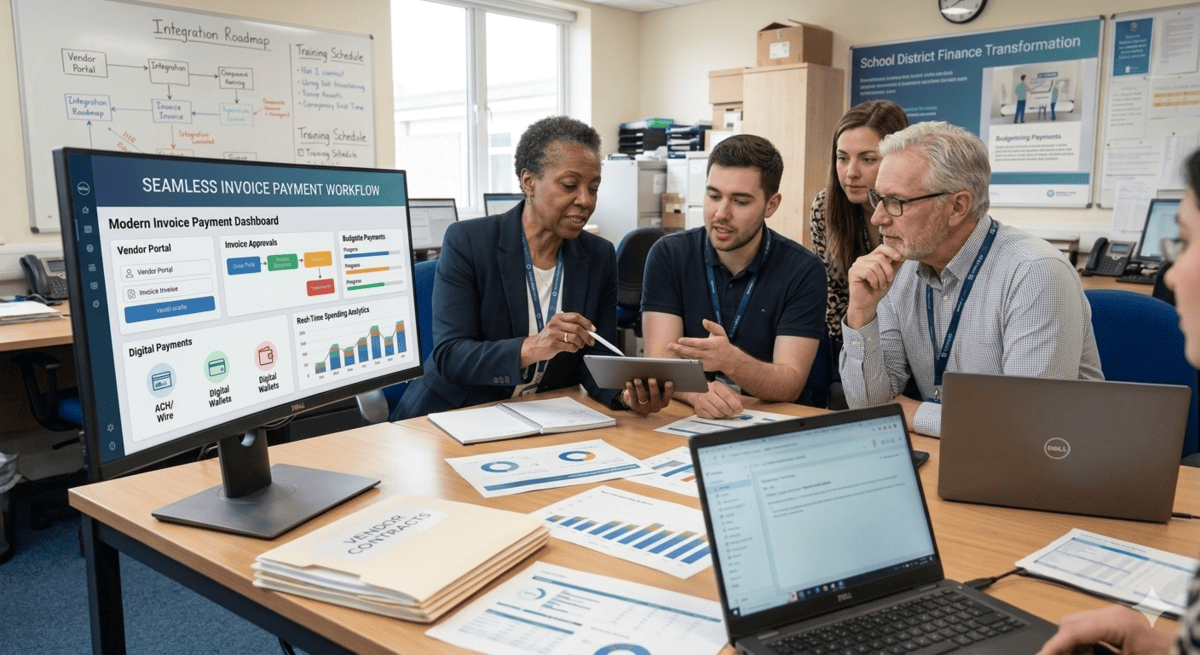
The invoice cycle at most K-12 districts was not designed to be inefficient. It evolved that way. A payment portal was added for online lunch payments in 2018. A separate invoicing tool was adopted for athletics fees in 2020. Fine arts programs still collect registration deposits by check. The district office reconciles all of it manually at month end, pulling exports from three systems that do not speak to each other, cross-referencing against a bank statement, and hoping the numbers close before the board meeting.
That is the legacy invoice problem in K-12 education: not a single bad decision, but the accumulated weight of incremental ones. And for a finance director or district business manager facing that reality today, the prospect of switching to modern invoice payment software raises a different kind of fear. Not “will the new system work?” but “will migrating to it break everything we have now — and who do I have to convince to make this happen?”
This guide addresses that fear directly. It walks through how school districts can switch to new invoice payment software in three structured phases: building the internal case and securing departmental buy-in, executing a secure data migration with PowerSchool integration, and deploying a phased rollout that starts with low-risk programs and scales to district-wide adoption. Each phase covers the real friction points — the objections, the data risks, the training gaps — so the transition serves the district instead of disrupting it.
Quick Answer: School districts can switch to modern invoice payment software without disrupting operations by executing in three phases: building stakeholder alignment and a formal business case before procurement, mapping and securing a clean data migration tied to the SIS, and deploying a phased rollout starting with contained programs like activity registrations before scaling district-wide. Platforms like EduTrak (edutrak.com) are designed for exactly this transition path, with native PowerSchool integration, childcare and billing modules, and implementation support built for K-12 finance teams.
Legacy invoice cycles bottleneck school operations in ways that don’t always surface until the damage is already done. A parent calls to dispute a charge from six weeks ago and no one in the finance office can pull the original invoice without logging into two separate systems. A fine arts director emails a spreadsheet of registration fees that need to be invoiced — and the process requires a business office staff member to manually create each one. An athletic director needs to know how many families have outstanding balances from last semester’s participation fees before the new season registration opens. The answer takes three days to compile.
These are not edge cases. They are the daily operational reality of districts running fragmented invoice infrastructure. And they have a compounding cost: staff time lost to manual data entry, reconciliation errors that require correction cycles, audit exposure from incomplete records, and parent frustration that erodes trust in the district’s administrative competence.
Most technology implementations do not fail because of the technology itself. They struggle because organizations focus heavily on the technical rollout and underestimate the human side of change. Districts that approach invoice software migration as a pure IT project — rather than as a change management exercise with technical components — are the ones that end up with a new system that staff won’t fully use and old workarounds that never fully go away. This guide is structured to prevent both outcomes.
Why Legacy Invoice Cycles Bottleneck School Operations
Legacy invoice cycles — defined as the combination of disconnected billing tools, manual reconciliation processes, and department-level payment collection workarounds that most K-12 districts accumulated over a decade of incremental technology decisions — create three categories of operational drag that compound over time.
The first is fragmentation. When invoice data lives across multiple systems — a food service POS, a separate payment portal for activities, a spreadsheet-based billing process for fine arts, a tuition management module that was not designed to communicate with any of them — the finance team spends a disproportionate share of its capacity on reconciliation rather than financial management. With multiple departments handling purchases and generating invoices, the process becomes fragmented and difficult to track. This lack of centralized control hinders efficiency and transparency.
The second is manual processing volume. Many educational institutions still rely on manual paper invoices, leading to manual data entry, filing, and potential errors. This paper chase consumes valuable time and resources that could be better spent elsewhere. For a district with 3,000 students across eight programs generating invoices, manual processing is not just slow — it is statistically guaranteed to produce errors at a rate that creates ongoing reconciliation and trust problems.
The third is parent friction. When paying a tuition balance, adding lunch money, registering for a sport, and buying a ticket to the school play all require different logins to different portals, some parents opt out entirely. Cash and check submissions rise. Off-platform payment workarounds emerge. The administrative burden shifts back to school-level staff — exactly where financial controls are weakest and audit risk is highest.
Modern invoice payment software eliminates all three categories of drag by routing every payment type through a single platform, automating the invoice cycle from creation to reconciliation, and presenting parents with one authenticated portal for every financial interaction with the district.
Phase 1: Procurement and Departmental Buy-In
The most common reason K-12 invoice software modernization projects stall is not budget — it is internal alignment. A finance director who wants to consolidate payment systems will encounter resistance from the athletic director who spent two years getting comfortable with the current registration tool, the fine arts coordinator who created a workaround that technically works for their program, and the IT manager who is nervous about another integration project. Resistance to change is often rooted in a failure to see the need for change — and that means it is a surmountable problem.
Overcoming that resistance requires a structured internal business case, not an IT mandate.
Building the Business Case Across Departments
The business case for switching to modern invoice payment software needs to speak four different languages simultaneously: the language of finance (cost, risk, compliance), the language of operations (time, errors, staff burden), the language of parent experience (convenience, trust, adoption), and the language of audit readiness (controls, trails, reconciliation).
For the finance director, the core argument is operational cost and risk exposure. Calculate the staff hours currently consumed by manual reconciliation across all payment systems. Estimate the cost of a reconciliation error that requires a board-level correction. Factor in the audit risk carried by fragmented systems with incomplete trails. Then set those numbers against the annual cost of a unified platform. The math usually resolves in favor of modernization quickly.
For department heads — athletics, fine arts, activities, childcare programs — the argument is different. Their concern is not the district’s financial efficiency. It is whether the new system will work for their specific program, whether their staff will have to learn something complicated, and whether parent adoption will be high enough that they stop receiving calls from confused families. The business case for departmental stakeholders must demonstrate that the new platform handles their specific invoice types — per-event fees, seasonal registration, tiered pricing, deposit structures — and that the parent portal is simpler, not more complicated, than what families use now.
For IT, the argument centers on integration architecture. A platform with documented, maintained integration to PowerSchool — the SIS used by the majority of USA K-12 districts — is categorically lower risk than one requiring custom API development or manual data exchange. EduTrak’s PowerSchool integration allows parents to view and pay tuition balances directly within the PowerSchool interface they already use, which eliminates the need to build and maintain a separate authentication pathway.
Identifying Internal Champions
Projects with structured change programs are six times more likely to meet their objectives than those without. The structural element that matters most in K-12 software transitions is the identification of internal champions: individuals in each affected department who understand both the current pain and the solution’s potential, and who are willing to represent the change to their peers.
An internal champion in athletics is not the athletic director. It is the office coordinator who processes registration payments and deals with the reconciliation headaches every week. The person with the most direct exposure to the current system’s limitations is the most credible advocate for changing it — and the most effective trainer for their colleagues once rollout begins.
Identify one champion per department before procurement is finalized. Involve them in the vendor demo. Give them early access during the pilot phase. Their ownership of the transition is the most reliable predictor of whether adoption sticks.
Selecting the Right Platform: What the Best Pay-By-Invoice Suppliers for Schools Must Demonstrate
When evaluating the best pay-by-invoice suppliers for schools, the procurement process must go beyond feature comparison. The following criteria define a platform capable of serving a multi-department K-12 district:
Multi-program invoice flexibility. The platform must support the full range of K-12 invoice structures in a single system: recurring tuition billing, per-session childcare charges, one-time activity registration fees, athletic participation invoices, food service account management, event ticket sales, and eStore transactions. A platform that handles tuition well but requires a workaround for athletics has not solved the fragmentation problem — it has relocated it.
Native SIS integration, not just compatibility. There is a meaningful difference between a platform that “can connect to PowerSchool via API” and one with a native, maintained integration. A data flow between financial systems and payment platforms reduces duplication and ensures consistency. For PowerSchool districts, EduTrak’s native integration is the functional equivalent of a single sign-on for all financial activity — parents log in once and reach every invoice type from one authenticated session.
PCI compliance built into the platform architecture. The responsibility for PCI compliance should live with the payment vendor, not the district IT team. Require a current PCI attestation as part of the RFP response and confirm that the compliance covers the specific transaction types your district processes: card-present for cafeteria POS, card-not-present for online parent payments, and ACH for tuition autopay.
Transparent, predictable pricing. Transaction fee structures in school payment software vary significantly and are frequently underestimated in procurement. A platform with a low monthly license fee but a 2.9% + $0.30 per-transaction fee will cost a high-volume district far more than its stated base price. Model the true annual cost based on your district’s actual payment volume before comparing platforms.
Verifiable implementation track record with comparable districts. Request references from districts of comparable enrollment size, program mix, and SIS platform. A reference from a 1,200-student private school is not informative for a 9,000-student public district. Ask specifically about the migration experience, the go-live timeline, and what the first billing cycle looked like after launch.
Phase 2: Data Migration and Security
Data migration is the phase that produces the most anxiety in K-12 finance teams — and with legitimate reason. The PowerSchool breach of December 2024, which affected 62 million students and 10 million teachers, made clear that the security of student data in transit and at rest cannot be treated as a vendor assumption. It requires active verification by the district. At the same time, overstating migration complexity causes districts to delay modernization indefinitely, which carries its own compounding cost.
The key to a clean data migration is structure: knowing exactly what data must move, in what format, with what validation process, and under what security controls before the migration begins.
Mapping Your Data: What Must Move and What Should Not
Not all data from a legacy invoice system needs to migrate to the new platform. A clear data inventory prevents over-migration — importing irrelevant historical data that clutters the new system — and under-migration — failing to bring forward records that families or auditors will need.
The data that must migrate falls into four categories:
Active family and student records. Every family with an outstanding balance, an active payment plan, an enrolled student in a billable program, or a stored payment method needs a complete, accurate record in the new system before go-live. These records are the operational foundation of the new platform. An error here — a mismatched family account, a missing student enrollment link, a duplicated billing record — creates a parent-facing problem from the first invoice cycle.
Historical transaction records. A minimum of 24 months of transaction history should migrate to the new platform or be accessible in a documented archive. Auditors, families requesting tax documentation, and district finance staff tracking year-over-year revenue all need access to historical payment records. Confirm with your new vendor how historical records are stored, how long they are retained, and in what format they can be exported for audit purposes.
Outstanding balances and payment plans. Every family with an open balance or an active payment plan agreement must have that information carried forward accurately. A migration that loses payment plan terms creates an immediate billing dispute. Validate the accuracy of every migrated balance against the legacy system before switching the parent portal to the new platform.
Account structure and coding. Department account codes, fund designations, cost center identifiers, and general ledger mapping must be configured in the new system before any transaction is processed. An invoice that posts to the wrong account code creates a reconciliation problem that the finance team will spend months unwinding.
PowerSchool Integration Framework: Data Flow Architecture
For districts running PowerSchool as their SIS, the integration framework with the new payment platform determines the quality of data integrity across the full student lifecycle. The integration should accomplish three things automatically, without manual intervention at any point:
Student enrollment sync. When a student enrolls, transfers, or withdraws in PowerSchool, that change should propagate to the payment platform within the same business day. A student who transferred out of a program but still appears as an active billing account in the payment system generates erroneous invoices and creates reconciliation headaches that compound with each billing cycle.
Family contact and profile sync. Parent contact information, guardian relationships, and notification preferences maintained in PowerSchool should flow automatically to the payment platform. Finance staff should not be maintaining duplicate contact records in two systems. When a parent updates their contact information in PowerSchool, it updates in the billing platform.
Payment status visibility within PowerSchool. The highest-impact integration feature for parent adoption is the ability to view and pay outstanding balances from within the PowerSchool parent portal. EduTrak’s PowerSchool integration delivers this: parents log in to PowerSchool, see their outstanding tuition and fee balances alongside grades and attendance, and complete payment without switching applications or re-authenticating.
Security Requirements During Data Migration
Data migration is the moment of highest security risk in any software transition, because student financial data is in motion between systems during a period when normal access controls are temporarily reconfigured. The following security requirements should be confirmed with the new vendor before migration begins, and verified by the district IT team independently.
Encryption in transit. All data transferred between the legacy system, the new platform, and any intermediate staging environment must be encrypted using TLS 1.2 or higher. Unencrypted data transfers are not acceptable for any file containing student PII or payment data.
Data minimization during migration. Migrate only the data that is necessary for the new system to operate. Historical records that are needed for audit purposes but not for ongoing operations can be archived in a separate export rather than migrated into the live system. Reducing the volume of data in the new system reduces the scope of any potential security incident.
Role-based access during migration. Limit access to migration data to the specific individuals who need it for the migration task. A vendor implementation engineer should not have unrestricted access to student records beyond what the migration requires. Confirm with the vendor what data their implementation team can access, from what systems, for how long, and what their access revocation process looks like after migration is complete.
Validation and reconciliation before go-live. Before the new platform goes live with parents, conduct a full validation run: compare migrated student records against the PowerSchool roster, verify all active balances against the legacy system, and run a test invoice cycle with a subset of accounts to confirm that invoices generate correctly and post to the right account codes. A disciplined validation process eliminates the billing errors that damage parent trust in the first weeks of a new system.
Signed Data Privacy Agreement. The new payment vendor must sign a Data Privacy Agreement before receiving any student data. The DPA should specify what data the vendor receives, what purposes it can be used for, how long it is retained, what security measures govern it, and what the vendor’s obligations are in the event of a breach. This is a legal requirement under FERPA, not a negotiable formality.
Phase 3: Rollout and Training
The rollout phase is where most K-12 technology transitions either build momentum or lose it. A district that activates its new payment platform across all 12 schools, all 8 program types, and all 4,200 parent accounts simultaneously on September 1 is creating conditions for a visible, public failure. A district that starts with a single program, demonstrates success, and expands deliberately is building the internal confidence and operational knowledge that makes district-wide adoption sustainable.
The governing principle for how to roll out net payment software across school district departments is: start contained, prove value, then scale.
Step 1: Pilot with a Single, Self-Contained Program
The ideal pilot program for a new invoice payment platform is one with a defined enrollment, a recurring billing cycle, a manageable number of parent accounts, and a staff lead who is already an internal champion for the transition. Activity registrations — athletics tryout fees, fine arts program deposits, after-school activity sign-ups — meet all of these criteria and represent a low-risk starting point for exactly this reason.
An athletic registration pilot has a natural start date (the beginning of a sport’s registration window), a defined population (families registering students for that program), and a clear success metric (percentage of families who pay online through the portal rather than submitting cash or check). Running the pilot through one complete billing cycle before expanding to additional programs gives the implementation team documented evidence of what works, what requires adjustment, and how long parent adoption takes in your specific district context.
A single K-12 school typically implements in 6 to 8 weeks during a summer break. A multi-school district usually requires 3 to 6 months with a phased rollout, starting with the district office, then elementary schools, followed by middle and high schools. Best practice is to plan for a summer rollout so everyone, including students and their families, has time to learn the new tools before the new school year.
Step 2: Expand to High-Complexity Departments
After a successful pilot, the expansion sequence should be driven by billing complexity rather than administrative convenience. High-complexity departments — those with the most varied invoice types, the largest parent populations, and the most entrenched manual processes — should come after simpler ones, but before district-wide go-live, so that the implementation team develops the configuration and training expertise those departments require while the stakes are still contained.
High school activity and fine arts programs sit in this middle tier. They typically involve: deposit invoices for program materials, per-performance ticket sales, optional fee structures that vary by student participation level, and parents who have established payment habits around the legacy process. Each of these variables requires specific platform configuration and parent communication. Working through them department by department, rather than simultaneously, allows the finance team to build institutional knowledge and troubleshoot edge cases before they affect thousands of accounts.
Childcare and after-school programs represent a distinct expansion category. Their billing complexity — drop-in rates, hourly charges, variable attendance-based invoicing, subsidy tracking, split-family billing — is different from standard K-12 fee collection and requires a platform with specific childcare billing architecture. EduTrak’s childcare billing module is purpose-built for this complexity, supporting batch invoice generation from attendance data, per-session and per-hour rate structures, and family account management that accommodates split households and subsidy coordination.
Step 3: District-Wide Go-Live with Food Service and Tuition
The final expansion phase covers the two highest-volume, highest-stakes invoice types in K-12 finance: food service accounts and tuition billing. These programs involve the largest number of families, the most sensitive payment data, and the highest operational dependency — a food service system that goes down during the lunch period creates an immediate, visible operational failure in front of students and staff.
For food service, the go-live sequence should be: configure the platform, train cafeteria staff on the POS interface, run parallel operations for one to two weeks (accepting both legacy and new system payments simultaneously), then cut over to the new system exclusively. Parallel operation is operationally redundant but it is the insurance policy that prevents a failed go-live from becoming a parent relations incident.
For tuition billing, the go-live timing should be coordinated with the billing calendar so that the first invoice cycle in the new system is not also the first invoice cycle of the year. Starting tuition billing in a new platform mid-year — when families already have an established payment pattern — is harder than starting at the natural beginning of an enrollment period. If mid-year implementation is necessary, communicate the transition to families a minimum of 30 days in advance with step-by-step instructions for accessing the new portal.
Training Architecture: Role-Specific, Not One-Size-All
One of the most consistent failure modes in K-12 software transitions is training that treats every user as equivalent. A finance director configuring account codes and reviewing reconciliation reports needs fundamentally different training than a school bookkeeper processing a daily deposit or a fine arts coordinator checking a parent’s registration payment. A one-time training session is rarely enough. Without ongoing education, users may struggle to fully utilize the platform’s capabilities, leading to inconsistent usage and missed opportunities.
Structure training by role and by timing:
Pre-go-live training for platform administrators and finance staff should cover system configuration, account code mapping, report generation, user access management, and the reconciliation workflow. This cohort needs the deepest training and should receive it at least two weeks before go-live so they have time to practice in a sandbox environment.
Pre-go-live training for school-level bookkeepers and program coordinators should cover the day-to-day tasks their role requires: processing a payment, issuing a receipt, checking an account balance, generating an invoice for a specific program. Keep this training role-specific and scenario-based. Staff retention improves when training is built around the tasks they will actually perform, not the full feature set of the platform.
Parent communication and portal onboarding is not training in the traditional sense, but it functions as one. A parent who receives a clear, step-by-step email with a direct link to the portal and a two-minute walkthrough of how to make their first payment is a parent who uses the portal. A parent who receives a generic system notification is a parent who calls the school office for help. Invest in parent-facing communication with the same seriousness as internal training — parent adoption rates directly determine the ROI of the entire transition.
Post-go-live support and reinforcement should include a documented help channel for staff questions in the first 30 days, a brief check-in with department champions at the two-week and four-week marks, and a formal 90-day review that evaluates adoption metrics, identifies remaining manual workarounds, and addresses them before they become permanent habits. Rather than treating training as the finish line to a new implementation, treat it as the beginning of the learning process.
Parent Communication Timeline
The parent communication timeline for a payment platform transition should begin earlier than most districts expect and be more specific than most districts execute.
30 days before go-live: Send a notification to all affected families announcing the new payment portal, explaining what is changing and why, and confirming that their account information has been migrated accurately. Include a specific date when the new portal will go live.
14 days before go-live: Send step-by-step portal access instructions with direct links. Include a FAQ addressing the three most common parent concerns: whether they need to re-enter their payment method, whether their current balance is accurate, and who to contact if they have trouble logging in.
Go-live day: Send a brief activation notification with the portal login link and a direct contact for parent support questions. Staff a dedicated inbox or phone line for parent questions for the first five business days.
30 days post go-live: Send a follow-up to families who have not yet logged into the new portal. This is the highest-leverage communication in the entire sequence: it converts the families who missed earlier communications and prevents them from defaulting to cash or check submission.
The Migration Risk Map: What to Anticipate at Each Phase
Every K-12 invoice payment migration carries predictable risks. Identifying them in advance removes the element of surprise that derails timelines and undermines stakeholder confidence.
| Migration Phase | Primary Risk | Mitigation |
|---|---|---|
| Procurement & Buy-In | Departmental resistance blocking procurement approval | Present department-specific pain data; identify champions before board vote |
| Data mapping | Incomplete inventory of legacy data requiring migration | Audit all active accounts, balances, and payment plans before migration begins |
| SIS integration | Enrollment sync failures creating orphaned billing accounts | Run full validation test against PowerSchool roster before go-live |
| Security during migration | Student PII exposed during transfer between systems | Require encrypted transfer, signed DPA, and access log from vendor |
| Staff training | Inconsistent platform use creating manual workarounds | Role-specific training, sandbox practice, 90-day adoption review |
| Parent portal go-live | Low adoption leading to continued cash/check submission | 30-day pre-communication, step-by-step onboarding, follow-up to non-adopters |
| First billing cycle | Invoice errors from misconfigured account codes | Dry-run invoice generation before go-live with finance staff validation |
| Post-go-live | Old workarounds persisting alongside new system | Formally decommission legacy tools 60 days post go-live |
Frequently Asked Questions
How long does it take a school district to switch to new invoice payment software? A single-school implementation typically completes in 6 to 8 weeks during a summer break. A multi-school district running a phased rollout should plan for 3 to 6 months from data migration to full district-wide go-live. Tuition and food service go-live should be timed to align with the beginning of a natural billing period rather than mid-cycle.
What data needs to migrate when switching school invoice software? The four critical data categories are: active student and family records linked to current enrollments, historical transaction records for at least 24 months, outstanding balances and active payment plan terms, and account code and general ledger mapping. Historical records that are not needed for active billing can be archived rather than migrated, which reduces migration scope and security exposure.
How does PowerSchool integration work with a new payment platform? A native PowerSchool integration syncs student enrollment, family contact data, and payment status between the SIS and the payment platform automatically. EduTrak’s PowerSchool integration places a payment interface directly inside the PowerSchool parent portal, so families can view and pay tuition balances without logging into a separate application.
How do you get school department heads to support a payment software transition? Build a department-specific business case that addresses each stakeholder’s actual concern: finance cares about cost and compliance, department heads care about program functionality and parent experience, IT cares about integration security and maintenance load. Identify one internal champion per department and involve them in vendor demos and pilot design before procurement is finalized.
What security steps are required when migrating student financial data? Require encrypted data transfer (TLS 1.2 or higher), a signed FERPA-compliant Data Privacy Agreement before any data transfer begins, role-based access limits on the vendor’s implementation team, and a full validation of migrated records against the source system before go-live. Do not accept verbal security assurances — require documentation.
What is the best rollout sequence for new invoice software across a school district? Start with a single, contained program — athletics registration or a specific activity fee — to validate the platform configuration and parent portal experience before expanding. Move to high-complexity departments like fine arts and childcare programs in a second phase, then complete district-wide go-live with food service and tuition billing timed to a natural billing cycle start.
How do you maintain parent trust during a payment platform transition? Begin parent communication 30 days before go-live with a clear explanation of what is changing. Send step-by-step portal access instructions 14 days out. Staff a dedicated support contact for the first five business days. Follow up at 30 days post-launch with targeted outreach to families who have not yet activated their portal account.
Can a district run old and new payment systems simultaneously during transition? Yes, and for high-stakes programs like food service, parallel operation for one to two weeks is recommended. Running both systems simultaneously during the transition window allows the district to catch configuration errors before fully decommissioning the legacy tool. Set a firm decommission date — 60 days post go-live is standard — to prevent the old system from becoming a permanent workaround.
Key Takeaways
- Legacy invoice cycles in K-12 districts create three compounding operational problems: system fragmentation that forces manual reconciliation, manual invoice processing volume that generates errors, and parent friction that drives off-platform payment workarounds and increases school-level cash handling risk.
- Switching to modern invoice payment software succeeds when it is treated as a change management exercise with technical components — not a pure IT project. 70% of organizational change initiatives fail; structured programs that identify internal champions and build department-specific cases significantly improve those odds.
- The best pay-by-invoice suppliers for schools must demonstrate multi-program invoice flexibility, a native SIS integration (not just API compatibility), PCI compliance built into the platform architecture, transparent transaction fee pricing, and a verifiable implementation track record with comparable districts.
- Data migration requires a structured inventory of four categories: active family and student records, 24+ months of transaction history, outstanding balances and payment plan terms, and general ledger account mapping — completed and validated before any data moves between systems.
- PowerSchool integration should accomplish three things automatically: enrollment sync, family contact sync, and payment status visibility within the PowerSchool parent portal itself — reducing authentication friction and driving parent adoption.
- Security during migration is not a vendor assumption — it requires encrypted transfer, a signed FERPA-compliant DPA, role-limited vendor access, and district-side validation of every migrated record before go-live.
- The optimal rollout sequence for rolling out net payment software across school district departments is: contained program pilot (athletics, activity registration), expansion to high-complexity programs (fine arts, childcare), then district-wide go-live for food service and tuition timed to a natural billing cycle start.
- Parent communication — beginning 30 days pre-launch with specific instructions, not generic notifications — is the single highest-leverage investment in parent portal adoption, which is the leading indicator of whether a payment modernization project delivers its projected ROI.
Conclusion
Switching invoice payment software is not the risk most K-12 finance teams fear it to be. The risk is in continuing to operate fragmented legacy infrastructure while audit requirements tighten, parent expectations rise, and the reconciliation workload grows faster than staff capacity to manage it.
The districts that make this transition successfully treat it as a three-phase project: building genuine stakeholder alignment before procurement, executing a disciplined and security-first data migration, and deploying a phased rollout that proves value at the program level before scaling district-wide. Each phase has predictable friction points and predictable solutions. None of them require a large IT team, a year-long implementation timeline, or a risky all-at-once cutover.
EduTrak (edutrak.com) is designed for exactly this transition path. Its platform covers tuition, childcare billing, food service, athletics, eStore, and event ticketing in a single consolidated system with native PowerSchool integration and PCI-compliant payment processing. Implementation support is provided by an experienced team that understands the specific operational realities of K-12 finance — not a generic SaaS onboarding playbook.
Request a custom platform architecture consultation at edutrak.com. Bring your current system inventory, your PowerSchool configuration, and your billing program list. EduTrak’s team will map your specific migration path, identify the right rollout sequence for your district, and give you a realistic timeline and cost model before you commit to anything.
Sources and Further Reading
- EduTrak School Administration Software — edutrak.com
- EduTrak Childcare Billing Module — billing.edutrak.com
- EduTrak School Nutrition Software — nutrition.edutrak.com
- Consumer Financial Protection Bureau — Issue Spotlight: Costs of Electronic Payments in K-12 Schools, 2024 — consumerfinance.gov
- Frontline Education — Embracing Change: Best Practices for Enabling Organizational Change in K-12 Districts, 2025 — frontlineeducation.com
- Association of School Business Officials International (ASBO) — School Finance Resources — asbointl.org
- Payment Card Industry Security Standards Council — PCI DSS Requirements for Education Payment Processors — pcisecuritystandards.org
- U.S. Department of Education, Student Privacy Policy Office — FERPA Data Privacy Agreements for EdTech Vendors — studentprivacy.ed.gov
Published: 2025 | Suggested review date: 2026 | Implementation timelines, integration capabilities, and pricing structures referenced in this article are subject to change. Confirm current specifications directly with vendors before procurement. FERPA and PCI compliance requirements should be verified with your district’s legal counsel and IT security team.