
What Is Unified K-12 School Billing and Management Software?
Unified K-12 school billing and management software is a platform where tuition billing, student fee collection, food service, childcare, athletic registration, and the school store all operate from the same data, report through the same interface, and bill through the same parent account. Families use one login. Administrators manage everything from one place. Data does not have to move between systems because it already lives in one.
The distinction matters because most K-12 schools are not running a unified system. They are running several systems that are described as integrated but require manual data transfers, periodic syncs, or staff reconciliation to stay aligned. That gap between “connected” and “actually unified” is where school business office hours disappear.
Why Do Most K-12 Schools Run Fragmented Billing Systems?
Fragmented school billing is not usually the result of a bad decision. It is the result of many reasonable decisions made at different times.
A district adopted a food service POS ten years ago. Later, they added a separate childcare billing tool when they expanded their before and after school program. When they needed to collect activity fees online, they set up a third system. Each decision made sense at the time. The result is a stack of tools that no one designed to work together.
According to a 2026 survey of K-12 district technology and finance leaders, the average district uses between four and six separate software platforms to manage family-facing billing and payments. Each platform has its own login, its own reporting, and its own reconciliation process. Business office staff are the ones connecting the dots between them.
The cost is not always visible on a vendor invoice. It shows up in staff hours, billing errors, parent support calls, and audit findings that trace back to data that did not match between systems.
What Does a Genuinely Unified School Management Platform Cover?
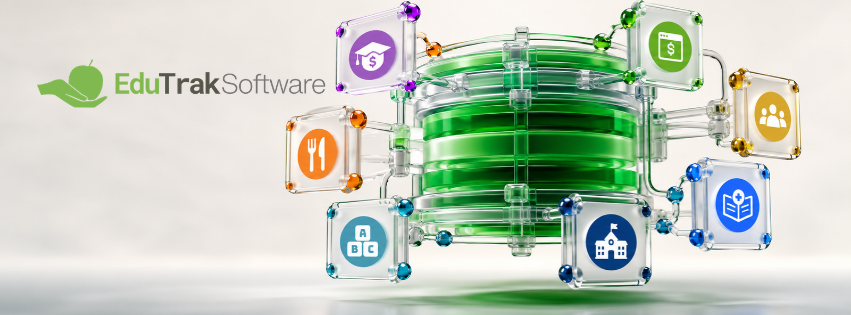
A unified K-12 school management platform handles every financial touchpoint between a district and its families from a single system. For most K-12 districts, that means:
- Tuition billing — invoice generation, payment plan management, autopay, split family billing, and reconciliation
- Student fee management — activity fees, athletic registration, lab fees, technology fees, field trips, and other incidental charges
- Food service — cafeteria point of sale, Free and Reduced eligibility, meal account deposits, and NSLP compliance reporting
- Childcare billing — before and after school programs, attendance-driven billing, subsidy tracking, and enrollment management
- School store and eStore — spirit wear, supplies, event tickets, and other purchases managed through the same parent account
- Parent portal — one login for families to view balances, make payments, set up autopay, and download statements across all of the above
When these functions share the same underlying data, a payment made through the parent portal updates every relevant balance instantly. A student who enrolls updates the billing roster, the food service account, and the childcare record at the same time. A report run by the business office reflects every program without a manual export from any of them.
What Is the Difference Between Integrated and Unified School Software?
This distinction is worth understanding before evaluating any platform.
Integrated means two or more systems exchange data. Integration can be as simple as a nightly CSV export from one system that imports into another. Integration is better than no connection, but it introduces lag, requires maintenance, and breaks when either system updates.
Unified means the functions share a common data layer. Student records, family accounts, payment history, and eligibility status exist once and are referenced by every module. There is no export, no import, and no sync window. The data is always current because it was never separated.
Many platforms that describe themselves as unified are actually integrated. The test is simple: ask whether a payment made through the parent portal updates the food service balance in real time, or whether there is a sync that runs on a schedule. Ask whether a student withdrawal automatically removes the student from billing, or whether staff have to update multiple systems. The answers tell you which kind of platform you are looking at.
What Problems Does a Unified School Platform Solve?
School business managers who move from fragmented systems to a unified platform consistently describe the same set of problems going away.
End-of-week reconciliation. When billing, food service, and fees run separately, reconciliation requires pulling reports from each system and manually matching them. In a unified platform, reconciliation is a report, not a process. The data is already aligned.
Parent support calls about balances. Parents who manage multiple school accounts frequently have questions about which system shows the right number. In a unified system, there is one balance per family. The parent portal and the business office see the same data.
Eligibility lag at the cafeteria register. In disconnected food service environments, Free and Reduced eligibility approved in one system may not reach the POS until an overnight sync. In a unified platform, eligibility updates in real time. The register reflects the student’s current status the moment an application is approved.
Duplicate data entry. Student enrollment, guardian contact information, and school assignment maintained separately in a billing system and a food service system means two places to update when anything changes. In a unified platform, the student information system sync feeds every module at once.
Staff training burden. Every system a new staff member has to learn is time spent not doing their job. A single platform with a consistent interface is faster to train and less prone to errors from staff who know one system better than another.
How Does EduTrak Unify K-12 Billing and School Management?
EduTrak is a K-12 school payment and operations platform built around a shared data model. Every module — tuition, fees, food service, childcare, and the school store — operates from the same student records, the same family accounts, and the same parent portal. There is no middleware, no sync schedule, and no separate login for different programs.
One parent account. Families access EduTrak’s parent portal with a single login to view and pay tuition, fees, lunch balances, childcare charges, and school store purchases. Low-balance alerts, payment history, and statements all come from one place.
One student record. EduTrak’s DataBridge pipeline syncs student enrollment, guardian contact information, grade level, and school assignment from the district’s SIS — PowerSchool, Skyward, Infinite Campus, or Clever — automatically. Every module reflects the current roster without manual updates.
One administrative interface. Business office staff manage tuition billing, fee management, childcare billing, and food service operations from a single platform. Reports pull across all programs without switching systems or exporting data.
Real-time data across modules. A payment posted through the parent portal updates the relevant balance immediately. Free and Reduced eligibility approved in the food service module reflects at the register instantly. A student enrollment from the SIS updates billing, food service, and childcare records at the same time.
EduTrak’s Total Lunchroom Suite extends this further for food service operations, connecting FastTrak cashless cafeteria checkout with Health-e Pro menu planning and USDA compliance, and Integra inventory management — all within the same data environment.
EduTrak has served K-12 public school districts and charter schools for over 30 years. Read what school business managers and food service directors say about working with EduTrak.
See the platform in action in EduTrak’s interactive demo library →
What Should Schools Ask When Evaluating a Unified Platform?
These questions separate platforms that are genuinely unified from those that describe integration as unification.
Does a payment in the parent portal update every relevant balance in real time? If there is a sync delay, the platform is integrated, not unified.
Does the SIS integration update automatically, or does staff initiate it? Automatic daily or real-time sync is the baseline. Manual imports are a staff burden waiting to happen.
Can the business office run a report across all programs without exporting data? If the answer involves Excel, the platform is not finished.
Do families have one login for all programs, or a separate account for food service, childcare, and fees? Multiple logins mean multiple support calls.
Does Free and Reduced eligibility update at the register in real time? Overnight batch updates create eligibility lag that puts cashiers in a difficult position and creates NSLP compliance risk.
What happens to student data when a student transfers or withdraws? In a unified platform, one update to the SIS cascades across every module. In an integrated platform, staff may have to update each system separately.
Is the platform built for public K-12 districts or private schools? Many unified platforms are optimized for independent school billing cycles. Public districts and charter schools have different SIS dependencies, multi-school structures, and fee type requirements. Ask for references from districts similar to yours.
Download the EduTrak overview to see the full platform, or schedule a 20-minute call with the EduTrak team →
Frequently Asked Questions: Unified K-12 School Billing and Management Software
What is unified school billing software?
Unified school billing software is a platform where all school-related billing — tuition, fees, food service, childcare, and the school store — operates from the same student records, family accounts, and parent portal. Families use one login to manage every charge. Administrators manage every program from one interface. Data does not require manual transfers between systems because it is never separated. EduTrak is built on this model, with every module sharing the same underlying data through a single parent account and administrative interface.
What is the difference between integrated and unified school software?
Integrated school software exchanges data between separate systems, typically through a scheduled sync or data export. Unified school software shares a common data layer across all modules so data is always current and consistent without syncs or exports. The practical difference is that integrated systems have a lag between when something happens and when every part of the system knows about it. Unified systems reflect changes immediately across every module.
What programs should a unified K-12 school management platform cover?
A complete unified K-12 school management platform covers tuition billing and payment plan management, student fee collection across all fee types, food service including cafeteria POS and NSLP compliance, childcare billing including attendance-driven billing and subsidy tracking, school store and eStore management, and a parent portal that consolidates all of the above into one family account. EduTrak covers all of these modules within a single platform connected through DataBridge SIS integration.
How does a unified school platform reduce administrative work?
A unified school platform reduces administrative work by eliminating the manual reconciliation, duplicate data entry, and cross-system reporting that fragmented billing creates. When billing, food service, and fees share the same data, end-of-week reconciliation becomes a report rather than a process. When the SIS sync is automatic, roster maintenance happens once instead of in every system separately. When parents have one account, the support calls about conflicting balances stop.
Does EduTrak work for public school districts?
Yes. EduTrak is purpose-built for K-12 public school districts and charter schools. It supports multi-school billing from a single administrative interface, SIS integration with PowerSchool, Skyward, Infinite Campus, and Clever through EduTrak’s DataBridge pipeline, split family billing, Free and Reduced eligibility management, and NSLP compliance reporting. EduTrak has served public K-12 districts for over 30 years.
What SIS systems does EduTrak integrate with?
EduTrak integrates with PowerSchool, Skyward, Infinite Campus, Clever, and other major K-12 student information systems through its DataBridge pipeline. Student enrollment, guardian contact information, grade level, and school assignment sync automatically. Changes in the SIS update every EduTrak module without manual staff intervention.
Can parents pay tuition, lunch, and fees from one account in EduTrak?
Yes. EduTrak’s parent portal gives families a single login to manage tuition, student fees, lunch account deposits, childcare charges, and school store purchases. Parents can view all balances, make payments, set up autopay, receive low-balance alerts, and download statements from one place. There is no separate login for different programs.
What is the Total Lunchroom Suite?
The Total Lunchroom Suite is EduTrak’s integrated food service solution for K-12 schools. It connects FastTrak cashless cafeteria checkout, Health-e Pro menu planning and USDA compliance, and Integra inventory management within EduTrak’s unified platform. All three components share the same student data, eligibility records, and parent account as the rest of EduTrak’s modules. Learn more about the Total Lunchroom Suite.
How long has EduTrak been serving K-12 schools?
EduTrak has served K-12 public school districts and charter schools for over 30 years. The company is independently owned and based in Bloomington, Minnesota. Districts work directly with EduTrak’s team rather than through enterprise support tiers. Read what school business managers say about working with EduTrak.
How do I see EduTrak before scheduling a sales call?
EduTrak’s interactive demo library lets you explore the platform on your own before talking to anyone. You can see how tuition billing, fee management, food service, childcare, and the parent portal work without committing to a scheduled call. Access the EduTrak demo library here. When you are ready to talk through a specific use case or get a pricing conversation started, you can schedule a 20-minute call with the EduTrak team.